Trace
Open any page in Chrome, pick your viewports and theme, and trace. Webtrace auto-scrolls to catch lazy-loaded content — or capture just one element.
trace any webpage in figma
Webtrace captures the page your browser is looking at — even behind a login — and rebuilds it in Figma as real auto-layout frames, real text, and real image fills. Not a screenshot.
Captures stay on your device
Free plan · 8 workflows a month · No card required
One Chrome extension traces the page. One Figma plugin rebuilds it. A portable file in between — yours to keep.
Open any page in Chrome, pick your viewports and theme, and trace. Webtrace auto-scrolls to catch lazy-loaded content — or capture just one element.
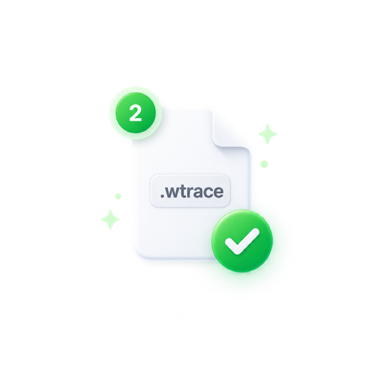
The capture lands on your device as a portable .wtrace file — an open, documented ZIP. Share it, version it, or keep it forever.
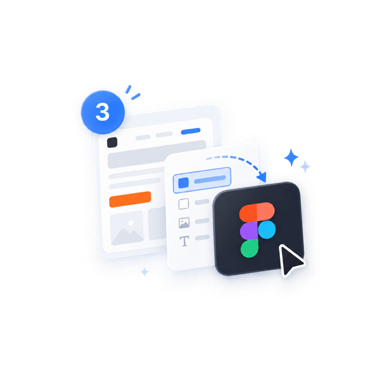
Drop the file into the Webtrace plugin, choose which viewport and theme frames you want, and get native, editable layers — auto-layout inferred, styles and variables created.
Everything the capture engine sees, the plugin rebuilds — layout, type, images, vectors, gradients, and shadows.
Trace once at your window size, or across presets — 1920, 1440, 1024, 768, and 390 — emulated through the Chrome DevTools Protocol.
Force Auto, Light, or Dark via prefers-color-scheme emulation and capture both looks of the same page in one trace.
Editable text layers, inferred auto-layout frames, image fills, vectors, gradients, shadows — plus styles and variables created on import.
A documented ZIP: capture.json plus sha256-deduplicated assets. No lock-in, no black box — inspect it with any unzip tool.
Webtrace captures what your browser can already see — dashboards, admin panels, and other signed-in pages. Nothing is re-fetched from outside.
Captured pages never leave your device. Your account syncs only sign-in, plan, and usage counts — never URLs, content, or screenshots.
One quota shared across Chrome and Figma — a capture and its Figma import count as a single workflow, however many viewports it spans.
Free
$0forever
Just an email — no card, no password
Pro Recommended
$9/month
$90/year — works out to $7.50/mo
Pro Max Value for money
$12/month
$120/year — works out to $10/mo
Billing is handled by a merchant of record, not Figma’s in-app payments — so international cards, including Indian cards, work without workarounds.
No. Webtrace rebuilds the page as native, editable Figma layers: auto-layout frames, real text you can retype, image fills, vectors, gradients, and shadows. You can restructure the result like any design you drew yourself.
No. Captured pages stay on your device. Your Webtrace account syncs only sign-in, plan, installation, and usage-count metadata — never URLs, page content, screenshots, or assets. Nothing else uploads unless you choose Send.
The extension uses only the activeTab, scripting, storage, and debugger permissions (the last one powers viewport and theme emulation during capture). No host permissions, no background network calls.
An open, documented ZIP containing a capture.json description of the page plus its assets, deduplicated by sha256. Because the format is open, your captures are portable and inspectable — not locked inside anyone’s cloud.
Capturing a page and importing that capture into Figma together count as one workflow — however many viewports and themes it spans, and no matter which side you start from. Re-importing the same capture is free. The Free plan includes 8 workflows a month, Pro includes 500, and Pro Max includes 1,000.
They’re on the roadmap, along with cloud inbox, re-import, and teams. You’ll see Send to Figma and Copy for Figma in the UI today, marked Sign in / coming soon. No dates promised yet — the local-first workflow ships first.